



Core Web Vitals Optimisation For Digital Marketing
Improving Core Web Vitals is crucial for optimising performance and UX for websites. It can have pages running smoother and using up fewer resources, and drawing in more traffic all at the same time. Let’s go over how to improve Core Web Vitals, how best to monitor them, and what measures they use.
But first, how do Core Web Vitals affect SEO performance?
Core Web Vitals SEO Impact
Core Web Vitals (CWV) are a set of user-centric performance metrics that Google uses as part of the page experience signals. When CWV meet or exceed certain thresholds, pages tend to rank better than similar pages with poorer performance. This is especially obvious for competitive niches, but content relevance and overall site quality remain the primary drivers of rankings. All in all, CWV can be a great final factor in terms of giving certain pages the edge, while not being the ultimate decision-maker.
Page speed is a Google ranking factor for Core Web Vitals and is divided into different stages. These include Largest Contentful Paint, First Input Delay, Interaction to Next Paint, and a few more, depending on the specific metrics a program measures. These can have an impact on overall SEO, with some impacting it directly and others less so. The most important part is to remember that UX will decrease metrics like time on page or affect bounce rates, which derank the page.
How important is core web vitals optimisation?
Judging by the Core Web Vitals news and updates coming out in recent years, it is important in the long run, but not the main area to focus on. According to Google, CWV metrics are part of the Page Experience signals and can impact rankings. However, they do not override content relevance. CWV is thus more often a tie-breaker or provides a boost in cases where content is fairly interchangeable. It won’t compensate for weak content quality, but it can give you the edge when all other things remain equal.
There are areas where it plays a bigger role, however. CWV performance on mobile can help Google prioritise certain pages, as mobile users tend to have different performance characteristics. Reports also frequently show that faster, more stable pages improve user metrics. This will boost time on page, bounce rate, conversion rate, and engagement, supporting SEO by sending positive user signals.
Pages with Core Web Vitals issues will be deranked, but can still have the edge against less relevant pages. Your Core Web Vitals strategy needs to emphasise having good content first and foremost, then adjusting the page stats to accommodate said content.
Google Core Web Vitals Metrics
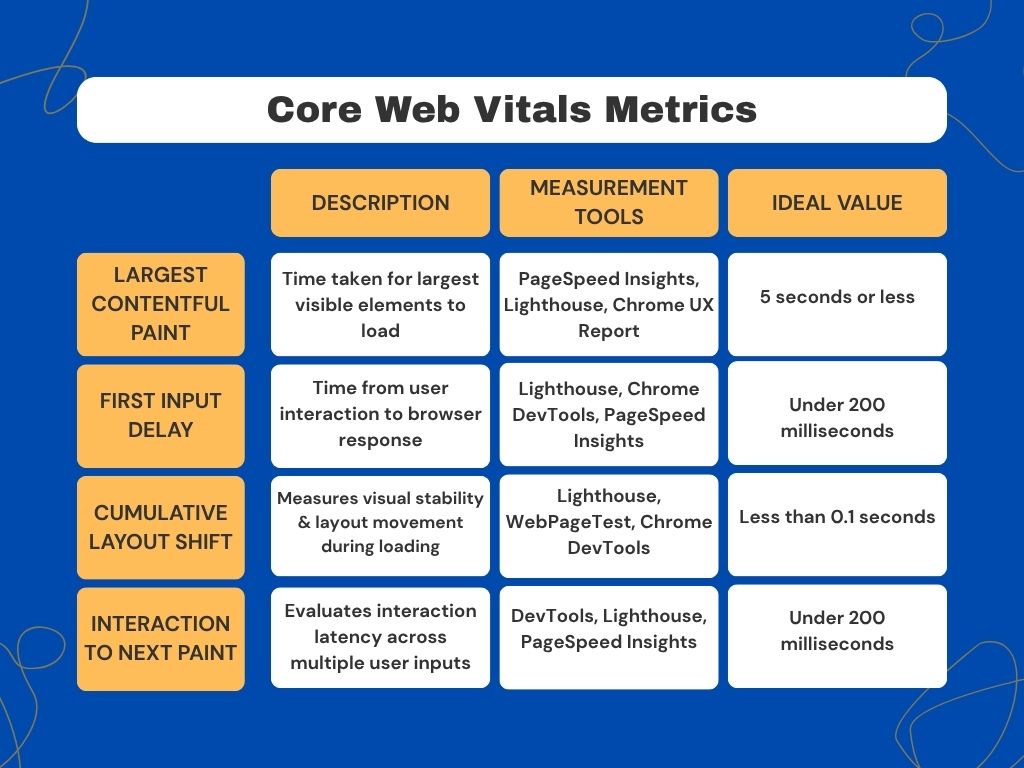
- LCP (Largest Contentful Paint) shows how quickly the main content loads. A fast LCP (under 2.5 seconds) indicates better user perception of speed and can positively impact rankings, particularly on mobile (where mobile users are likely to switch away from a page with low load speeds). Improving LCP helps maintain ideal bounce rates and time on page metrics. An ideal LCP should be 5 seconds or less.
- FID (First Input Delay) assesses interactivity and responsiveness. Lower input latency allows for better user experience and better engagement signals. Less than 100 milliseconds is ideal for FID.
- CLS (Cumulative Layout Shift) is a measure of visual stability, with low CLS meaning content isn’t flaky as it loads. Stable pages minimise user frustration and improve page experience metrics that Google considers in ranking. Less than 0.1 seconds is ideal.
- INP (Interaction to Next Paint) is a newer/alternate interaction metric that is often used instead of FID. Both focus on interactivity. Better interactivity tends to correlate with higher user satisfaction and longer sessions. A good INP is about less than 200 milliseconds.
Core Web Vitals Check
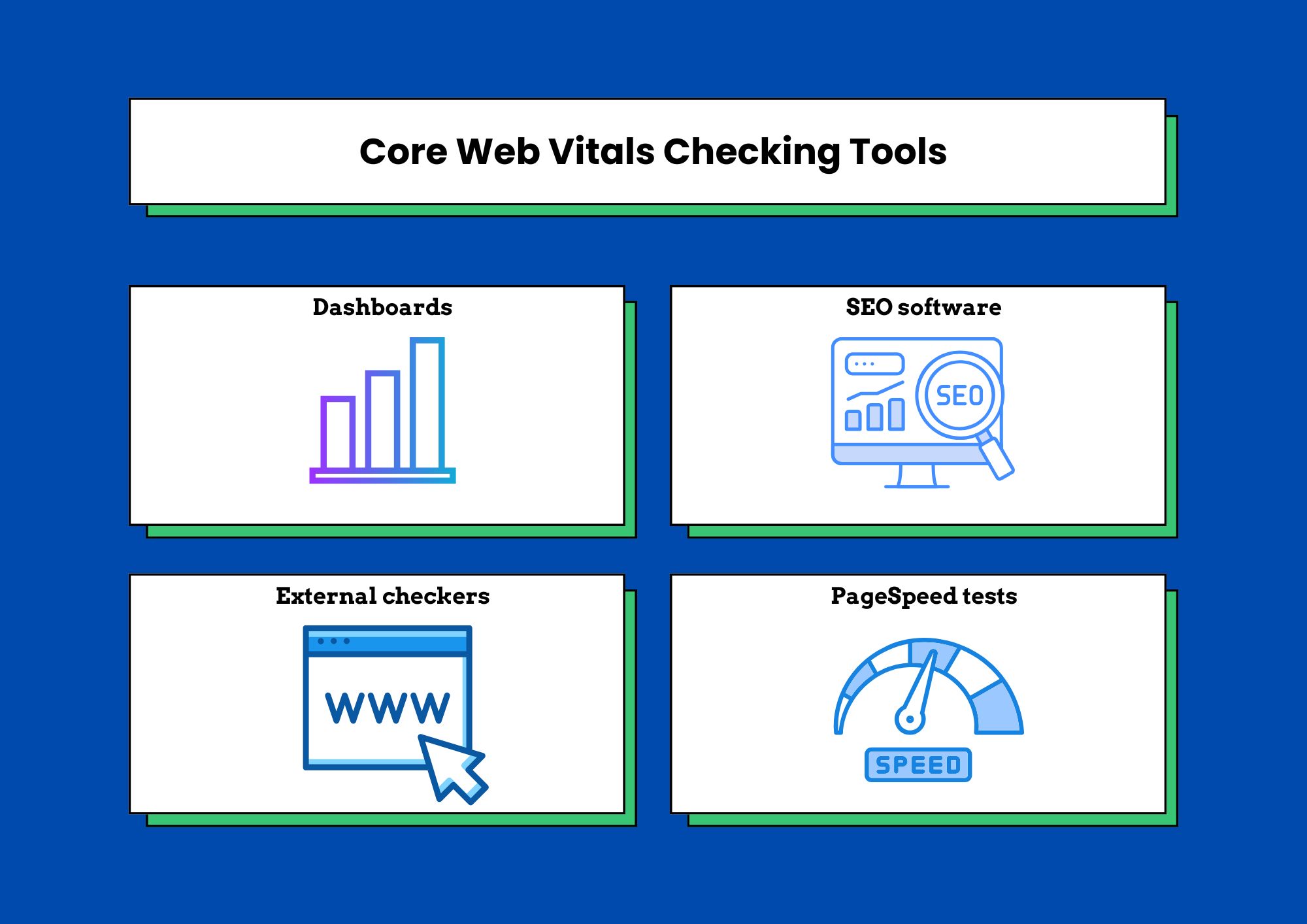
Here’s how to check Core Web Vitals:
- Monitor with dashboards: Another way to check Core Web Vitals is with a personalised dashboard. Track CWV metrics over time using tools like Google Search Console’s Core Web Vitals reports, Lighthouse audits, and field data (if available) to identify and prioritise issues. Google’s own CWV report shows URL performance. It can categorise the site into Poor, Need improvement, and Good, while providing metric types CLS, INP, and LCP.
- SEO software: SEMRush and Ahrefs are both great for a Vitals check. They can monitor CLS, INP, and LCP with a fair bit of accuracy. While they aren’t free, they can be a great way to get a comprehensive view of your all your SEO-related metrics. Using this or the dashboard comprises the ideal ways to perform a Core Web Vitals audit, but there are other methods you can use to get a more comprehensive overview.
- External checkers: You can use programs like SpeedVitals, which is an online Core Web Vitals checker where you can enter your URL and receive a diagnosis of your site.
- PageSpeed tests: There are various websites out there that help you check page speeds, which can be handy for the speed aspects of CWV. They may give limited information compared to other checkers, but they can be very focused for speed metrics.
Core Web Vitals Best Practices
Here are some tips on improving Google Core Web Vitals Metrics:
In terms of improvements, you can improve LCP by optimising server response times, enabling caching, compressing images, using modern image formats, and implementing lazy loading for off-screen images.
LCP suffers when you have the following issues:
- Slow server response time
- When Java and CSS are blocking rendering.
- Slow loading resources (especially image and video files).
- Bad client-side rendering.
To fix LCP-related issues, adopt a local image CDN to serve global users faster, cache assets & serve HTML pages cache-first, minify CSS and JavaScript, and optimise your server. On WordPress, Core Web Vitals can be improved by compressing images and minimising the use of massive components. Implementing lazy-loading, preloading, and cache can go a long way.
Common CLS issues include:
- Ads causing any change in layout
- Cookie banners/notices
- Images without dimensions
- Dynamically injected content
- Embeds and iframes without dimensions
- Web fonts causing FOIT/FOUT (flash of invisible text/flash of unstyled text)
To reduce CLS, reserve space for media and embeds, avoid putting content above existing content unless necessary, and implement better font loading to reduce layout shifts.
Lastly, common FID or INP issues can include:
- Long tasks
- Long JavaScript execution time
- Large JavaScript bundles
- Render-blocking JavaScript
To improve FID/INP, you can minimise JavaScript execution time, split long tasks, use a performance budget, and defer non-critical third-party scripts.
Mobile Optimisation Tips
Improving Core Web Vitals for mobile users can require a few additional adjustments. Focusing on INP is particularly useful for mobile optimisation, as Google has shifted towards it as a better measure. A mobile-first design philosophy is crucial here as more people begin to view pages outside of desktops. In general, you want the slowest possible devices, which are often phones due to their smaller processors, and make sure they can handle it.
You can use simulations and emulators like the ones on Lighthouse to get a better grasp of your performance. To get a better idea of how your website performs on phones, it is handy to use your browser’s inspect tool.
Make sure you apply lazy loading, browser caching, and media optimisation so speeds are optimal. Make sure the fonts you use aren’t too heavy and don’t impede user experience or are unreadable either. It also helps to properly set your site’s size attributes for media elements, ensuring loadability.
You should do these along with other forms of mobile SEO optimisation to ensure better user experience and smooth website speeds.
If you’re looking for Core Web Vitals Consulting, we can provide that. Learn how to fix core web vitals issues and so much more from our marketing services. We provide end-to-end services for companies of all sizes and work with the rates most suitable to our clients.